ADFS running on Windows 2019 in a cluster containing two hosts.
After changing the certificate for SSL and Service-Communications using the following commands:
Set-AdfsSslCertificate –Thumbprint XXX
Set-AdfsCertificate -CertificateType “Service-Communications” –Thumbprint XXX
Restarted the adfs service
The login page shows now:
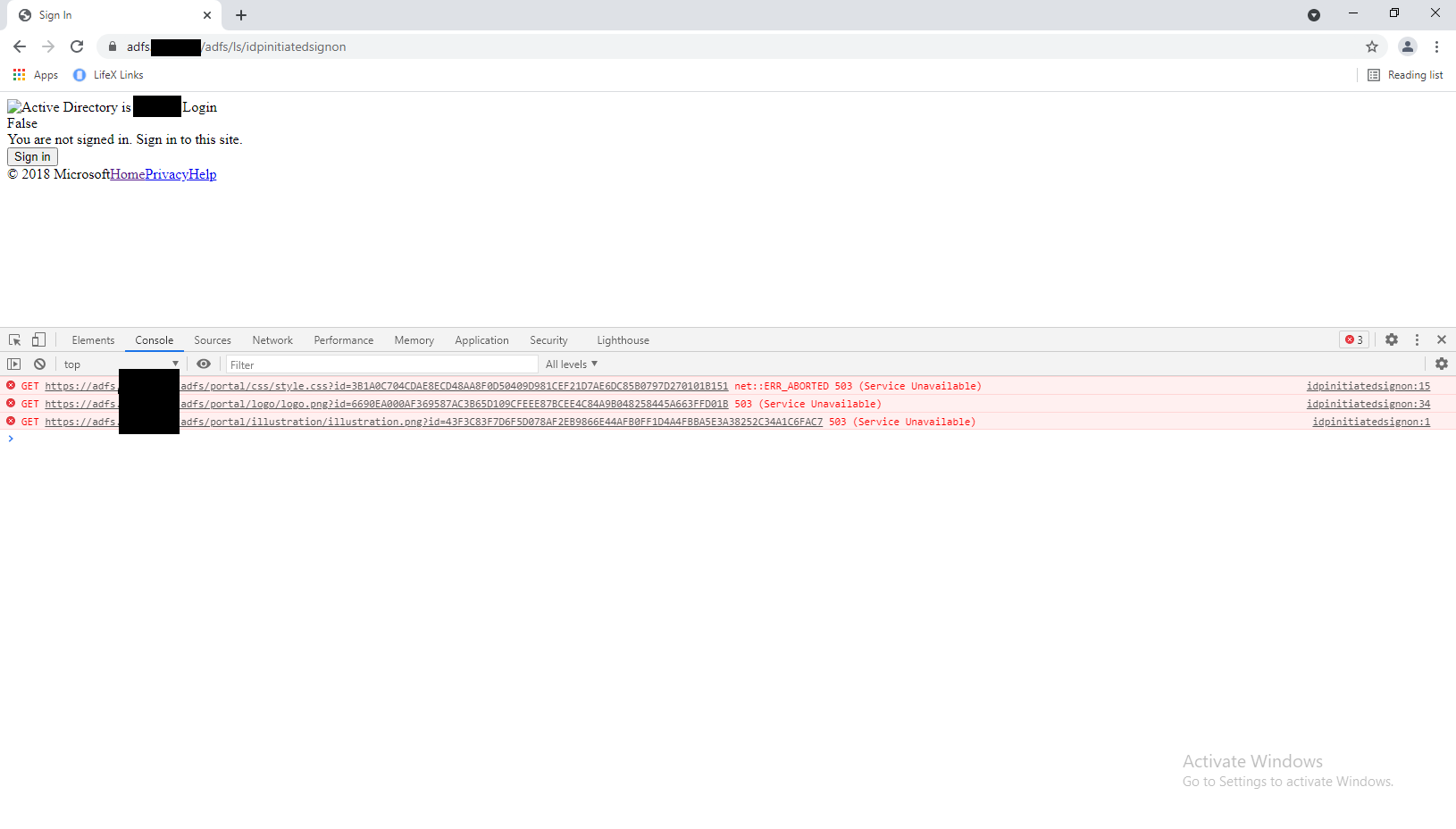
In the event log of ADFS I can see the following:
There was an error in enabling endpoints of Federation Service. Fix configuration errors using PowerShell cmdlets and restart the Federation Service.
Additional Data
Exception details:
Failed to start endpoint:
https://+:49443/adfs/portal/
https://+:443/adfs/portal/
System.Net.HttpListenerException (0x80004005): Access is denied
at System.Net.HttpListener.AddAllPrefixes()
at System.Net.HttpListener.Start()
at Microsoft.IdentityServer.WebHost.HttpListenerBase.Start(UInt32 contextPoolSize)
at Microsoft.IdentityServer.ServiceHost.STSService.StartListener(Type listener, Int32 port, Int32 clientPort, Boolean passiveEnabled, Boolean oAuthEnabled, Boolean enablePasswordUpdate, String path)
The adfssrv service is running with a gmsa account and was not changed.
Any idea why “Access is denied” is happening after a certificate change?
——————————————————————————————————————————————————————————————————————————
Are you sure the service account has permission to read the private key of the newly imported certificate?
Check the machine local store (certlm.msc):
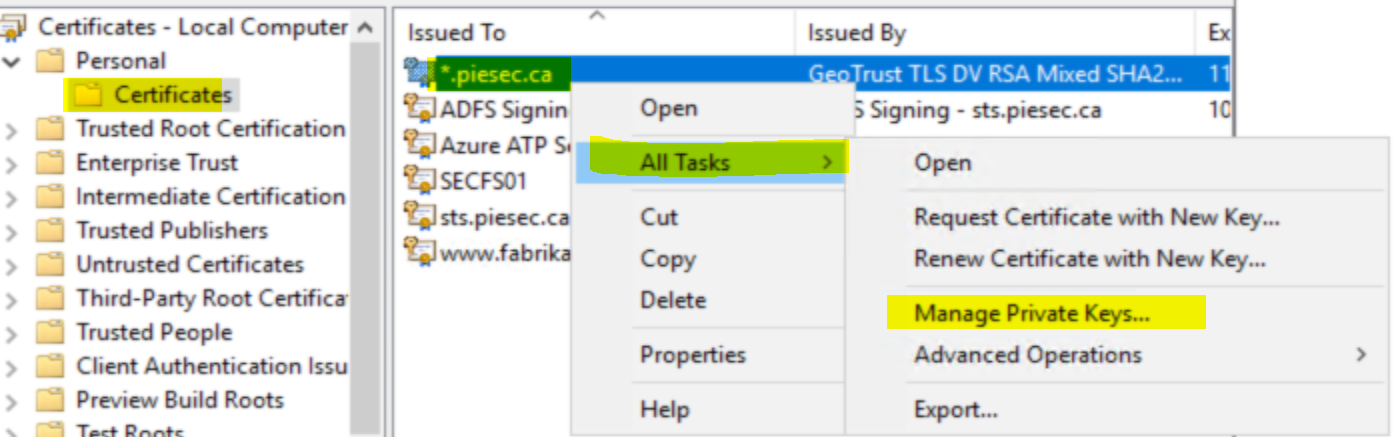
Make sure you see the following entry:
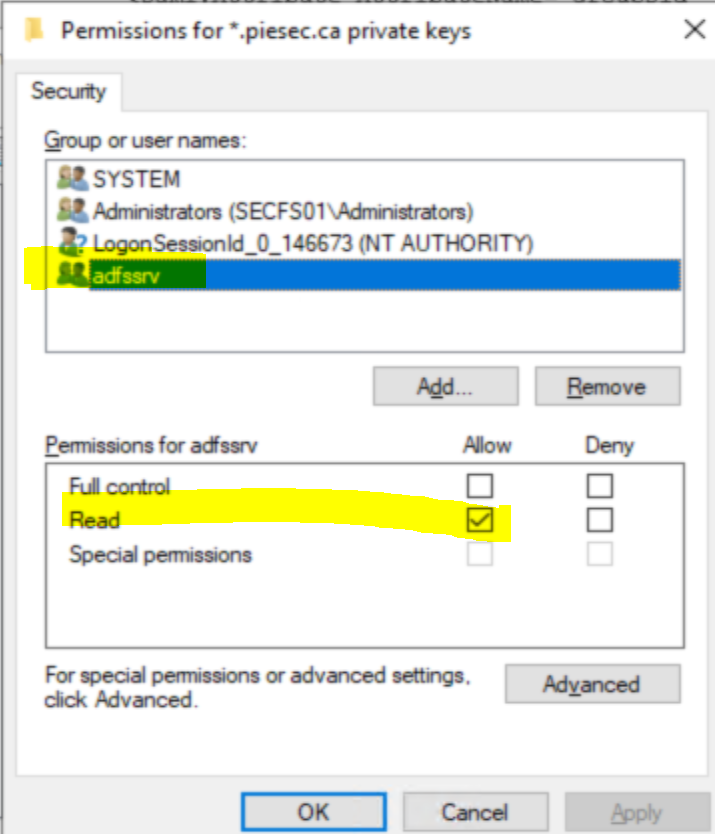
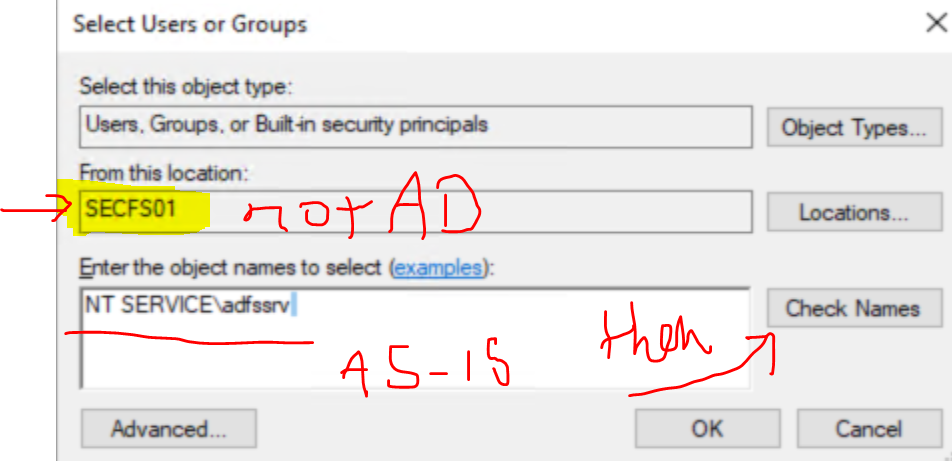
If not, add it: